
Open In All Modules

Pastor Langley

Beta Tester
Messages
1,087
In some setting, you could check a box showing that you want this particular book Module to open in all Module Sets, Somewhere I saw this setting, Cannot get back to it. Anyone know what I am talking about? Would appreciate the pointer.
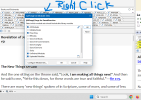
 
Is this what I am looking for?
Screenshot 2026-02-03 160339.png It will over-ride the individual module set and make the item open in all module sets. I think that this may be it. Is there another that I may be missing?
 
Is this what I am looking for?
View attachment 2827 It will over-ride the individual module set and make the item open in all module sets. I think that this may be it. Is there another that I may be missing?
That just lets you choose which module sets that particular module appears in. It doesn't override anything, it's letting you change the settings directly. If you click "all" it will add it to all module sets so you don't have to click all the checkboxes.
 
Can we get to that setting somewhere else? This is what I have found. Right -click on a tab. I have discovered it useful.
 
Can we get to that setting somewhere else? This is what I have found. Right -click on a tab. I have discovered it useful.
That's the only place it's accessible from.
 
That's the only place it's accessible from.
Oops, I need to correct myself. You can also get to that from the Module Selection window. The File, Bible, Commentary, and Book menus all have one of these, and you can right-click a module in the list to get that selection window as well.

1770207664866.png


1770207709664.png
 
Oops, I need to correct myself. You can also get to that from the Module Selection window. The File, Bible, Commentary, and Book menus all have one of these, and you can right-click a module in the list to get that selection window as well.

View attachment 2828

View attachment 2829
Hey great. Thanks. Started SwordSearcher organizing for 2026, Module Sets have become very useful.
 
Back
Top