Blocked from editing

Regie

Well-Known Member
Messages
548
Hello,

I had computer problems and had to get some modules back from my pastor. Two of them will not let me edit them at all and I have not discovered how to get that problem solved. When I attempt to edit it, this is what I get:
Editing functions are disabled for this user module because the operating system has denied write-access to the file.
Nothing I have tried has got the job done. Any help I can get will be appreciated much.

Thanks,
Regie
 
How frustrating! Here are a couple things I would look at, although Brandon or Bill may have the quick and right answer (I usually just poke at things until something changes):

Back up these module files in case something goes awry.
Check the directory properties where the files are and make sure that it's a shared folder and that it's marked 'read/write'.
Make sure you put the modules in the 'documents/SwordSearcher User Modules' folder and not in the Programs folder.
Check the modules files properties and make sure that they're set to shared and 'read/write'.
I'd look at 'importing' the module instead of just copying it to the user modules folder.
I would work with only one file at a time until I get success.
 
Editing functions are disabled for this user module because the operating system has denied write-access to the file.
1. Make sure the module file path is not in Program Files.
2. In Explorer, right-click the file and choose Properties. Make sure the "Read-only" attribute is NOT checked.
 
1. Make sure the module file path is not in Program Files.
2. In Explorer, right-click the file and choose Properties. Make sure the "Read-only" attribute is NOT checked.
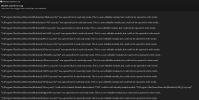
"C:\Program Files (x86)\SwordSearcher\Modules\PB.ss5cmty" was opened but in read-only mode. This is a user-editable module, but could not be opened in write mode.
Got any suggestions on what I can do at this point? Thanks. Regie
 
The files in the Program Files folder are not to be fooled with, but it sounds like you need to move this one to your other modules folder (sometimes I forget that people have their modules in other places than the documents/SwordSearcher user modules folder). There are some module files in the Program Files folder, but those are basic SwordSearcher files and are meant to be there. If you put your own modules in there, SwordSearcher will treat them differently from the ones in your personal folder. You shouldn't mess with the files in the Program Files folder as it could put your SwordSearcher in a tail-spin, but if you accidentally put a file there, you can move it without harm.
 
The files in the Program Files folder are not to be fooled with, but it sounds like you need to move this one to your other modules folder (sometimes I forget that people have their modules in other places than the documents/SwordSearcher user modules folder). There are some module files in the Program Files folder, but those are basic SwordSearcher files and are meant to be there. If you put your own modules in there, SwordSearcher will treat them differently from the ones in your personal folder. You shouldn't mess with the files in the Program Files folder as it could put your SwordSearcher in a tail-spin, but if you accidentally put a file there, you can move it without harm.
Thats true....if you do then you cry bitterly....
been there before.... NO coffee could fix that bad mistake of mine, in the beginning.
 
"C:\Program Files (x86)\SwordSearcher\Modules\PB.ss5cmty" was opened but in read-only mode. This is a user-editable module, but could not be opened in write mode.
Got any suggestions on what I can do at this point? Thanks. Regie
Move it into your user modules folder, which should be under Documents\SwordSearcher User Modules. You should never have editable modules in a read-only location.
 
Hello all, I'm also having this issue. I'm not able to edit any of my books or commentaries. I got everything else working again, and all my files are in my user/documents folder. I unchecked the Read Only box in Properties, twice now, and it keeps putting it back to Read Only.

Also, when I downloaded SS10, it automatically put them in Program Files, and I copied them into my user/documents folder because I was scared to delete them from my Program Files folder. Should I have deleted them? My files are currently in both places, in a read-only folder (Program Files) and my user/document folder.
Does anyone have any additional steps I may try? Thank you,
Amalia
 
Last edited:
It's my understanding that SwordSearcher loads the files in Program Files before the User Modules folder under Documents. The modules in the Program Files aren't editable. I would think that could be the issue you're having. There is a report you can print that will show you, but I'm sorry to say that I've forgotten where it is.
 
It's my understanding that SwordSearcher loads the files in Program Files before the User Modules folder under Documents. The modules in the Program Files aren't editable. I would think that could be the issue you're having. There is a report you can print that will show you, but I'm sorry to say that I've forgotten where it is.
Okay, thank you 🙏
 
If this will help at all. Been here myself.
Being Sunday night may have to wait till late tonight or Monday.

SwordSearcher Program files in - C:\Program Files\SwordSearcher
NOT THIS ONE - C:\Program Files (x86) - Do not go here.
NO user files should be located here (C:\Program Files\SwordSearcher) SwordSearcher would not do this. (Pretty sure)

USER FILES - modules, books, commentary, dictionary, etc. will or should be located here:
EXAMPLE: C:\Users\owass\OneDrive\Documents\SwordSearcher User Modules
(OneDrive not yours, this is my location)

SwordSearcher default will be this:
By default, SwordSearcher user modules (books, commentaries, and highlighting data) are stored in the C:\Users\[Username]\Documents\SwordSearcher User Modules folder.
When others get on here they will do a better job. Just wanting to help.
Main thing is, make a backup of your "FILES" user files, then keep them seperate.
Wait patiently on best directions for your actual problem.
If you have a ""good"" backup copy of your user files. Fixing this will not be a problem.
Worst case senario.
Uninstall SwordSearcher, (only if have a trusted backup copy of your user files"
Re-install SwordSearcher.
Copy all files back into the known user folder.

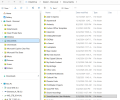
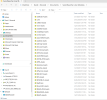
Images for visual.
Screenshot 2026-03-15 195654.png Screenshot 2026-03-15 195737.png Screenshot 2026-03-15 195827.png Screenshot 2026-03-15 200019.png Screenshot 2026-03-15 200115.png
 
If this will help at all. Been here myself.
Being Sunday night may have to wait till late tonight or Monday.

SwordSearcher Program files in - C:\Program Files\SwordSearcher
NOT THIS ONE - C:\Program Files (x86) - Do not go here.
NO user files should be located here (C:\Program Files\SwordSearcher) SwordSearcher would not do this. (Pretty sure)

USER FILES - modules, books, commentary, dictionary, etc. will or should be located here:
EXAMPLE: C:\Users\owass\OneDrive\Documents\SwordSearcher User Modules
(OneDrive not yours, this is my location)

SwordSearcher default will be this:
By default, SwordSearcher user modules (books, commentaries, and highlighting data) are stored in the C:\Users\[Username]\Documents\SwordSearcher User Modules folder.
When others get on here they will do a better job. Just wanting to help.
Main thing is, make a backup of your "FILES" user files, then keep them seperate.
Wait patiently on best directions for your actual problem.
If you have a ""good"" backup copy of your user files. Fixing this will not be a problem.
Worst case senario.
Uninstall SwordSearcher, (only if have a trusted backup copy of your user files"
Re-install SwordSearcher.
Copy all files back into the known user folder.

Images for visual.
View attachment 2930 View attachment 2931 View attachment 2932 View attachment 2933 View attachment 2934
Okay, thank you. I'm backing up my files now, and then I'm going to recheck the location again. Appreciate this, thanks.
 
Sequential order here:
Be sure you have a TRUSTED COMPLETE BACKUP of your USER FILES. (if confident good job)
Once this is done starting over will be easy.
Re-install SwordSearcher - The software is well-designed to take care of this for the user. (Just use the default installation instructions)
Then locate the USER Documents Folder SwordSearcher created for you. (Those images will help understand)
If this is all understood and satisfactory. (If not wait on more help, DO NOTHING)
If understood follow on.
Last thing if above is understood, COPY User Files inside that folder. (as per images and SS instruction)
Sounds like a lot but once you walk through this it isn't so bad. Help is an email away.
Let me know if you get it.
 
Sequential order here:
Be sure you have a TRUSTED COMPLETE BACKUP of your USER FILES. (if confident good job)
Once this is done starting over will be easy.
Re-install SwordSearcher - The software is well-designed to take care of this for the user. (Just use the default installation instructions)
Then locate the USER Documents Folder SwordSearcher created for you. (Those images will help understand)
If this is all understood and satisfactory. (If not wait on more help, DO NOTHING)
If understood follow on.
Last thing if above is understood, COPY User Files inside that folder. (as per images and SS instruction)
Sounds like a lot but once you walk through this it isn't so bad. Help is an email away.
Let me know if you get it.
Okay, thank you. I understand everything I believe. I am going to try this tomorrow with fresh eyes. Thank you so much for the steps. Very appreciated.
 
Great. Email if needed. Good idea. Always better when rested and ready.
 
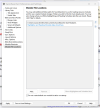
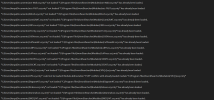
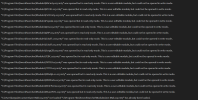
Go to your Help menu in SwordSearcher and choose "Module load error log." I'd like to know what is going on with those modules.

Go to the File menu, choose Preferences, and then Module File Location. From here, right-click on the folder that contains your user modules and choose Show in Explorer.

1773656639382.png


That will open File Explorer to the correct folder, so you can be sure you are working on the right place.

If that location is a OneDrive location, the problem could be that there are placeholder files there. If this is a OneDrive location for you, go to your OneDrive settings window, Sync and Backup, Advanced, and all the way at the bottom choose "Download all files." This will force OneDrive to download the whole user module files, not use placeholders.

1773656997593.png


Rewinding a bit, the fact that the files get a read-only flag is really odd. What anti-virus do you use?

One option would be to create a new folder for your user modules outside of your Documents area. Some other place on your hard drive. You can use the Module File Locations settings to make that your default user module location, and move the files there.
 
Go to your Help menu in SwordSearcher and choose "Module load error log." I'd like to know what is going on with those modules.

Go to the File menu, choose Preferences, and then Module File Location. From here, right-click on the folder that contains your user modules and choose Show in Explorer.

View attachment 2935

That will open File Explorer to the correct folder, so you can be sure you are working on the right place.

If that location is a OneDrive location, the problem could be that there are placeholder files there. If this is a OneDrive location for you, go to your OneDrive settings window, Sync and Backup, Advanced, and all the way at the bottom choose "Download all files." This will force OneDrive to download the whole user module files, not use placeholders.

View attachment 2936

Rewinding a bit, the fact that the files get a read-only flag is really odd. What anti-virus do you use?

One option would be to create a new folder for your user modules outside of your Documents area. Some other place on your hard drive. You can use the Module File Locations settings to make that your default user module location, and move the files there.
I managed to eliminate the One Drive issue, but when I redownloaded everything, it would go into the Users/Documents area but my highlights and reading schedule wouldn't work so then I redownloaded them again and let it go into Program Files. That was when I was able to get my highlights and reading schedule back but then that was when I realized it was a read only location. So now my files are in both locations and then I set the module location in preferences to my documents location but I suppose since they're also in Program Files, it still won't let me edit them? I also have 104,000 files and 205GB of data whenever I backup my files so I know I've somehow duplicated files that were probably already duplicated. :oops:

I'm using the Microsoft Defender Antivirus.
 

Attachments

  • Explorer.png
    Explorer.png
    81.3 KB · Views: 52
  • Log.png
    Log.png
    142.9 KB · Views: 56
  • Log1.png
    Log1.png
    133.5 KB · Views: 52
  • Log2.png
    Log2.png
    141.4 KB · Views: 54
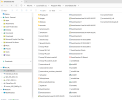
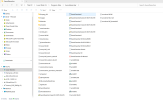
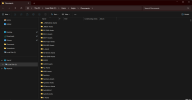
It looks like you copied a bunch of user modules into your C:\Program Files\SwordSearcher folder. Those will always be non-editable because of the location. Then you have copies of those in the user documents location, which is correct, but they won't be loaded there because you already have them loading from the program files. So, you need to remove them from the Program File location.

If you are confident of your backups, you can un-install SwordSearcher, and then manually delete the leftovers in the Program Files\Modules folder. They won't be removed automatically because you manually put them there. Then you can re-install SwordSearcher. This SHOULD be sufficient, since you already have the files in your documents location. Just be sure not to manually put files into your Program Files location.
 
Back
Top