
Book Searches Using "mouse-over control search"

Pastor Langley

Beta Tester
Messages
1,051
While in Editor Design Mode, and do a word search for MACHAERUS, I get: Find closest matching entry in Webster 1828 dictionary: Which is this word - "machiavelian". Though it did something, it has always been able to do more. When I do a Alt+L full library search I get more (100 matching entries), but not inside the module being edited... Mmmm. So is there a reason that the search is not finding the exact same word inside the module? I thought that being in editor mode may be the issue. Tested this did not change results. "Search is not inside editor [window] it is inside the the module entry". Puzzled. The search does not actually find the word in the actual module being searched. This is my quan·da·ry.
 
Last edited:
I am sorry, "The search does not actually find the word "MACHÆRUS" in the actual module being searched. This is my quan·da·ry. Why?
Maybe only Brandon can answer...dunno.
 
Last edited:
I am sorry, "The search does not actually find the word "MACHAERUS" in the actual module being searched. This is my quan·da·ry. Why?
Maybe only Brandon can answer...dunno.
You're using a feature that is designed to find the closest match by entry title, which is intended for use with dictionaries. If you don't have an entry with that title, there is nothing for it to find, and it does its best to find the closest matching entry title. It will not always find a sensical match; it's meant for finding singular/plurals, etc.

Maybe you want to search the module instead? Change your StudyClick settings to search the module.
 
You're using a feature that is designed to find the closest match by entry title, which is intended for use with dictionaries. If you don't have an entry with that title, there is nothing for it to find, and it does its best to find the closest matching entry title. It will not always find a sensical match; it's meant for finding singular/plurals, etc.

Maybe you want to search the module instead? Change your StudyClick settings to search the module.
Original - MACHÆRUS
After going through these steps, Change your StudyClick , I saw the problem.

Corrected - Machaerus (probably should have checked the spelling first.)
 
THANKS.
I went to Edit Module, Spelling, Spelling Options, Custom Dictionary, then find word, MACHÆRUS, Delete this word.
Found it, got it, corrected, and deletd from Dictionary.
New lesson learned, thanks to more mistakes, and direction on Forum.
 
Last edited:
Reason could not get "search to work" mispelled word. :confused:Learn from me👓.
 
Nah, it's a reasonable expectation that it would match.
The word was copied with the AE tied together. (MACHÆRUS). Once found the issue, it was quite easy to correct. Always something to learn. Ha!
Seen this before so will keep a lookout 👓 :cool: in future. Why web sites you "copy-paste" from have this issue is a curosity of mine.
Just so anyone reads this POST, SwordSearcher found and did everything as should and expected. It was my copy-paste error that was my issue.
 
Last edited:
I have SO SO SO many mistakes of that kind......
Welcome to my 🌎 . . .
If had a 50" monitor, probably never have mistakes.... ha... 🖱️ :cool: :D 💻. But I live in USA, maybe only Canada has those.
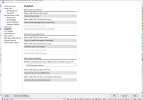
 
Now I am trying to adjust my StudyClick to serve in my Bible Study. Is there a good, better, best settings?
I made a change or two but first time making a settings change here.
1747661844433.png
 
It's personal. I like to study words and phrases. Notice double clicking in Sync Options. It opens a custom dictionary I made which also links to Topic Guide and Word Tree features with additional information. Study click and Sync options can work together. Here's what I use if it is of any help. Everyone will have different choices: Let's hope they all don't post in reply.


1747665968346.png
1747665987583.png
 
It's personal.
Exactly. The defaults are just my opinion about what may be the easiest for someone new to the software to get comfortable with.

Personally, I change these settings fairly frequently, just depending on what I am doing in a study.
 
Another great help from the Forum. Thanks for everyone's input. There was a time with a bookshelf behind me, turning pages in Strong's a Concordance. Now each time I learn something in SwordSearcher it is a blessing. Years ago, I traded my Hasselblad 500C/M "Film Camera" for my first Nikon Digital Camera, that was very scary and wierd, but after learning how to use it, it was great. SwordSearcher really helps in Bible Study, sermon prep, teaching, all the above. Challenge - "Keep reading books, write with pencil and paper."
 
Back
Top