
You are using an out of date browser. It may not display this or other websites correctly.
J. Vernon McGee audio file
- Thread starter Johnny NL
- Start date

HarpazotheRedeemed
Active Member
- Messages
- 38
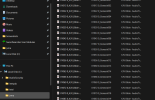
If we could still get some assistance... I downloaded the files and they're all extracted into my local C drive as jvma. And when I click on them in my C drive, they play fine in my media player, but when I try to play them in SwordSearcher by clicking on the calendar, they don't open or play or anything. I have a screenshot to show that the files are in my C drive. I have also tried putting them into the SwordSearcher modules file but it isn't working. If anyone can help with this, I appreciate it. Thank you, Amalia.
Attachments
HarpazotheRedeemed
Active Member
- Messages
- 38
Yes, I believe so. I'm in my local C drive, and then I created a folder in the C drive called jvma and that's where all the audio is. I'm not very tech savvy, but I think my files are in the right spot. I will double check them though. Thank you.

wsbones
Beta Tester
- Messages
- 3,349
I just downloaded the module again. It's working for me.
Are you using an administrative account or a standard account and what version of Windows?
If you can't get it working, let me know. I will change the module to look in the assets directory.
I put in c:\jvma originally because I have other programs accessing it as well as SS.
Are you using an administrative account or a standard account and what version of Windows?
If you can't get it working, let me know. I will change the module to look in the assets directory.
I put in c:\jvma originally because I have other programs accessing it as well as SS.
HarpazotheRedeemed
Active Member
- Messages
- 38
I have an administrative account and Windows 11. And I will let you know, thank you.I just downloaded the module again. It's working for me.
Are you using an administrative account or a standard account and what version of Windows?
If you can't get it working, let me know. I will change the module to look in the assets directory.
I put in c:\jvma originally because I have other programs accessing it as well as SS.
HarpazotheRedeemed
Active Member
- Messages
- 38
I just want to give a HUGE thank you to everyone who has been helping me with my module file issues. I'm still not sure how I managed to get my modules and files in such a disarray.
So thank you all very much for your assistance and patience with me while I have had to get this all sorted out. I really appreciate you guys, @Brandon Staggs @marty and @wsbones
Also, @Johnny NL thank you very much for assisting me with the redownloading of SwordSearcher and helping me make sure everything is in the right location this time and working. I love this SwordSearcher program and would be lost without it!
Amalia
So thank you all very much for your assistance and patience with me while I have had to get this all sorted out. I really appreciate you guys, @Brandon Staggs @marty and @wsbones
Also, @Johnny NL thank you very much for assisting me with the redownloading of SwordSearcher and helping me make sure everything is in the right location this time and working. I love this SwordSearcher program and would be lost without it!
Amalia

Johnny NL
Beta Tester
- Messages
- 1,336
Huh!!!!!I just want to give a HUGE thank you to everyone who has been helping me with my module file issues. I'm still not sure how I managed to get my modules and files in such a disarray.
So thank you all very much for your assistance and patience with me while I have had to get this all sorted out. I really appreciate you guys, @Brandon Staggs @marty and @wsbones
Also, @Johnny NL thank you very much for assisting me with the redownloading of SwordSearcher and helping me make sure everything is in the right location this time and working. I love this SwordSearcher program and would be lost without it!
Amalia
What a community !!!!!!
