Thanks for comments. My hope is now seek where others, if use OneDrive, what you practice? For me not so much to do with windows, it has
everything to do with SwordSearcher, my FIlES, and my work in using SwordSearcher. Honestly when I am on a computer nowadays, 15% of my time is R&D the rest SwordeSearcher as bible reading, study, sermons, editing works, ya I like it. But I do force myself to real books, pencil and paper, on purpose to keep those skills. I have learned from my mistake, and hope to learn from others.
Update. Probelm was self-inflicted. I chose for "whatever" reason to make a change.

I have one desktop and one laptop. My practice, SwordSearcher desktop 85% of all work. If I make a change within SwordSearcher OneDrive just syncs with no problems. If you are a OneDRive user,
you should not practice running both (systems) while using OneDrive. (Of course, wait for sync if two systems) Never had an issue until I "
made a change".
My process.
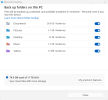
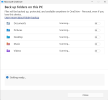
View attachment 3193 Settings today (
before the change).
View attachment 3194 Settings when issue came up. I literally do not know "
why I made a change"
Best Answer: I did not wait
(slow connections) for the sync and
tried to fix something that was not broken. not so wise
View attachment 3193
not so wise
View attachment 3193 Settings NOW: Of course "
the fix" can be very simple, (
if you have a backup!)
My Folder Locations Now: owass (
first 5 letters of your email address, Owasso, OK, not curse word language)
Desktop:
C:\Users\owass\OneDrive\Documents\SwordSearcher User Modules (Onedrive)
C:\Users\owass\Documents (deep search in C:\ drive)
Laptop:
C:\Users\David\OneDrive\Documents\SwordSearcher User Modules (Onedrive)
C:\Users\David\Documents (deep search in C:\ drive)
Below is what is in the c:\ drive location of laptop.
I have two locations on the laptop where only one location on DeskTop.


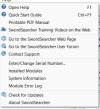 Error
Error 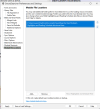 Locations
 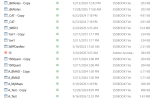 Copy (problem)


 Especially when It was my fault....


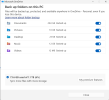


 ... however, this post has reminded me that I have not backed up on my external HD in a while... going to do so now