Does anyone have any idea why user books would disappear? Made several before and they worked perfectly. Made a few this morning, tabs were visible and I could get in them at will but after closing SS and powering off my computer, they are gone. In addition, my study and commentary modules are no longer editable.

You are using an out of date browser. It may not display this or other websites correctly.
User Book Module Disappeared
- Thread starter JCC
- Start date

- Messages
- 6,450
Sounds like a file location issue. It's also possible that an update to your anti-virus may have changed something, blocking SwordSearcher from using its files, but that is just a guess.
Open File Explorer in Windows, go to your Documents folder, and look for SwordSearcher User Modules. Are they in there?
I have also seen weird things happen to files stored in cloud storage areas, but that shouldn't happen in the default location for user modules.
If you go to the Help menu and choose Module Load Error Log, it will give you reasons for not being able to edit your user modules. Almost always, this is due to a file issue on the computer.
Open File Explorer in Windows, go to your Documents folder, and look for SwordSearcher User Modules. Are they in there?
I have also seen weird things happen to files stored in cloud storage areas, but that shouldn't happen in the default location for user modules.
If you go to the Help menu and choose Module Load Error Log, it will give you reasons for not being able to edit your user modules. Almost always, this is due to a file issue on the computer.
Thank you very much for the quick reply. I will get on it. Another thing I noticed ( this is a new laptop running win11 btw) as I’m setting up SS, nothing is editable. Everything is fine on my desktop running win10.Sounds like a file location issue. It's also possible that an update to your anti-virus may have changed something, blocking SwordSearcher from using its files, but that is just a guess.
Open File Explorer in Windows, go to your Documents folder, and look for SwordSearcher User Modules. Are they in there?
I have also seen weird things happen to files stored in cloud storage areas, but that shouldn't happen in the default location for user modules.
If you go to the Help menu and choose Module Load Error Log, it will give you reasons for not being able to edit your user modules. Almost always, this is due to a file issue on the computer.
- Messages
- 6,450
Well, only your user modules should be editable. Did you copy those over from your other computer, into your Documents\SwordSearcher User Modules folder? They will not be editable if you put them into a non-editable location like Program Files.nothing is editable
Creating Your Own Books and Commentaries > User Module Storage and Sharing
User module files are stored in your Windows documents folder. The exact name of this folder depends on your Windows configuration, but is usually Documents\SwordSearcher User...
www.swordsearcher.com
Preferences (Options and Settings) > Module File Locations
Select the File menu and click Preferences. Select the Module File Locations page.
www.swordsearcher.com
So I found MY error. I'll try and explain for the audience's sake. Although a new SS9 install into a new laptop I copied and transferred the settings from my desktop. Over a year ago I made the user module part of another drive on my desktop, I forgot about this step. SS on the laptop couldn't find it obviously. The books were located in the default user module location and a path was created in settings for the repair.
The second issue- By placing all the editable modules in the root module location on my laptop and not in the user module folder none of them were editable just like you said. Cut and paste fixed it. All rookie mistakes but I'm learning. Hope this might help someone.
Thanks again Brandon
The second issue- By placing all the editable modules in the root module location on my laptop and not in the user module folder none of them were editable just like you said. Cut and paste fixed it. All rookie mistakes but I'm learning. Hope this might help someone.
Thanks again Brandon

Johnny NL
Beta Tester
- Messages
- 1,336
Amen . . .So I found MY error. I'll try and explain for the audience's sake. Although a new SS9 install into a new laptop I copied and transferred the settings from my desktop. Over a year ago I made the user module part of another drive on my desktop, I forgot about this step. SS on the laptop couldn't find it obviously. The books were located in the default user module location and a path was created in settings for the repair.
The second issue- By placing all the editable modules in the root module location on my laptop and not in the user module folder none of them were editable just like you said. Cut and paste fixed it. All rookie mistakes but I'm learning. Hope this might help someone.
Thanks again Brandon
at least you had them backed up!!!
should see the tons of Tylenols I had to take, when I had a similar issue...

NOW, I use 4x Back up devices, which one of them is backed up every week, and stored in a Fire Proof Safe....
. . . . Never more . . .

HarpazotheRedeemed
Active Member
- Messages
- 38
So, all my Books and Dictionaries tabs disappeared from my layout. I'm pretty sure there's an easy solution to this but figured I'd say something incase I don't figure it out on my own. This thread seems to be the most relevant one to my issue, so I checked my files>documents and the SS9 User Modules are all there.
All my Books and Dictionaries are still in my SS9 if I search for them, there's just no tabs, and when I select "Select which library tabs to show" all of the Books and Dictionaries tabs are checked blue, indicating they should be shown. Yet there's no tabs showing at all in my Books and Dictionaries panel. All of the Commentary tabs are there, and my Bibles are all there.
Last night I downloaded a lot of book modules, and restarted SS9 so maybe I overwhelmed it? It's not a huge deal, since I can still access everything, and I back everything up like Johnny NL taught me, but if anyone has any ideas, they're greatly appreciated Muchas gracias.
All my Books and Dictionaries are still in my SS9 if I search for them, there's just no tabs, and when I select "Select which library tabs to show" all of the Books and Dictionaries tabs are checked blue, indicating they should be shown. Yet there's no tabs showing at all in my Books and Dictionaries panel. All of the Commentary tabs are there, and my Bibles are all there.
Last night I downloaded a lot of book modules, and restarted SS9 so maybe I overwhelmed it? It's not a huge deal, since I can still access everything, and I back everything up like Johnny NL taught me, but if anyone has any ideas, they're greatly appreciated
Muchas gracias.
- Messages
- 6,450
That doesn't seem possible. If the panel is visible, at least one tab has to be showing.All my Books and Dictionaries are still in my SS9 if I search for them, there's just no tabs, and when I select "Select which library tabs to show" all of the Books and Dictionaries tabs are checked blue, indicating they should be shown. Yet there's no tabs showing at all in my Books and Dictionaries panel.
You could post a screen shot.
But it sounds like what you may mean is that the books and dictionaries panel itself is not visible. You may have just closed it. You can re-enable it on the View menu. Another quick way is to use the reset the layout or select one of the pre-configured layouts.
HarpazotheRedeemed
Active Member
- Messages
- 38
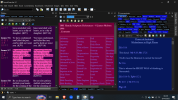
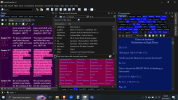
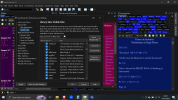
Below are screenshots, I have my panels set, so I didn't lose them. The second screenshot shows that all my books are still here, and then the third screenshot shows that they're all checked blue to show up. I hope this helps. Thank youThat doesn't seem possible. If the panel is visible, at least one tab has to be showing.
You could post a screen shot.
But it sounds like what you may mean is that the books and dictionaries panel itself is not visible. You may have just closed it. You can re-enable it on the View menu. Another quick way is to use the reset the layout or select one of the pre-configured layouts.
View attachment 2666
Attachments
HarpazotheRedeemed
Active Member
- Messages
- 38
Johnny NL helped me, he showed me that I had too many tabs so they wouldn't show up. I have it sorted out now, thank you so much for your help. Love this program so much! Thank youThat doesn't seem possible. If the panel is visible, at least one tab has to be showing.
You could post a screen shot.
But it sounds like what you may mean is that the books and dictionaries panel itself is not visible. You may have just closed it. You can re-enable it on the View menu. Another quick way is to use the reset the layout or select one of the pre-configured layouts.
View attachment 2666
- Messages
- 6,450
Okay, thanks for the follow-up. I have not actually seen what the tab control does if there are too many tabs for it to render at once. Thanks @Johnny NL for helping!