External exception E06D7363

Ken Sturgeon

Active Member
Messages
211
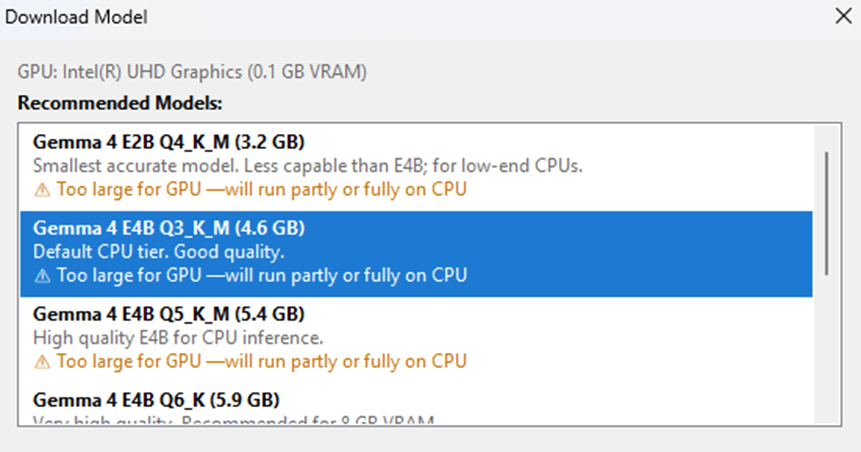
When I downloaded a model it preselected Gemma 4 E4B Q3_K_M but all indicated that they were “Too large for GPU…”; nonetheless, since one was preselected I loaded it.
1784066641295.png


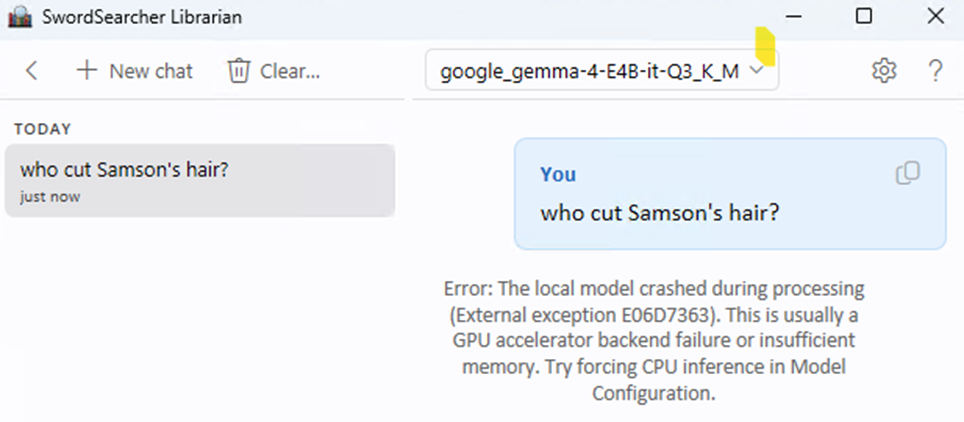
Unfortunately, I get an error message when trying to execute the following.

Error: The local model crashed during processing (External exception E06D7363). This is usually a GPU accelerator backend failure or insufficient memory. Try forcing CPU inference in Model Configuration.
1784066683684.png


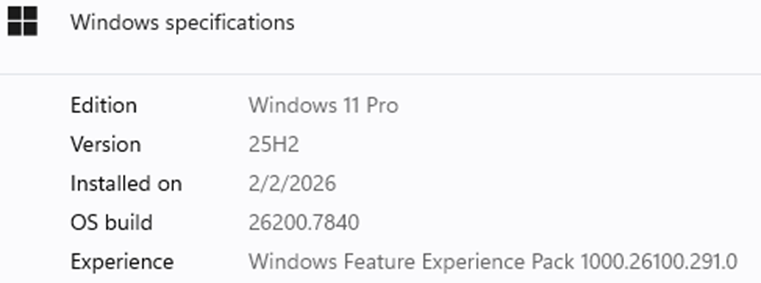
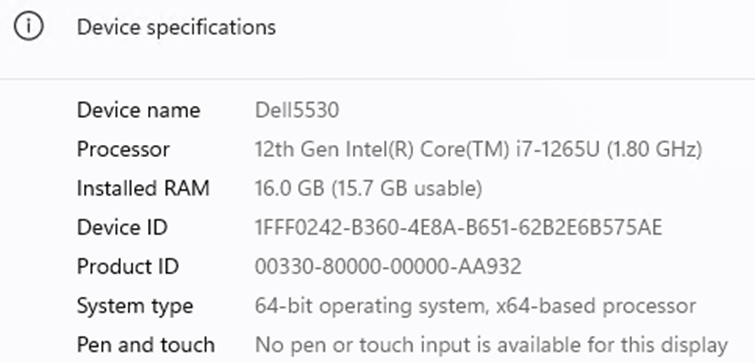
The following screenshots show the details of my laptop.
1784066816110.png


1784066840121.png


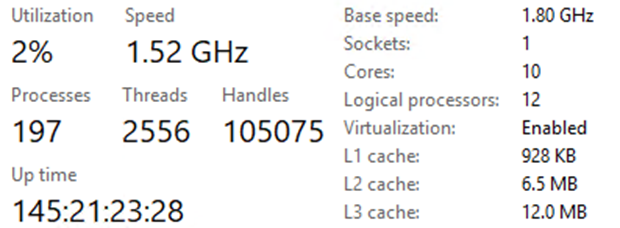
Performance details on the CPU are shown below.
1784066862069.png


I think the issue is that my CPU is not ARM based and that I'll have to purchase a new system which is unfortunate because I just purchased this one a few months ago.
 
I had the same issue, but downloaded and installed LM Studio, then downloaded Google Gemma, and it works okay. My laptop has 16gb of ram, so it's not the fastest, but if you're willing to wait a few minutes, it will produce a response back using the Librarian.
 
Thanks for the hint. I installed LM Studio and I can ask the question and get an answer in LM Studio's interface but I still get the same error in SS Librarian.
 
Thanks for the hint. I installed LM Studio and I can ask the question and get an answer in LM Studio's interface but I still get the same error in SS Librarian.
Using LM Studio directly is not going to give you answers grounded in your SwordSearcher library.

But you could set up LM Studio as a back end server and configure the Librarian to connect to it as an api provider. I don't have instructions for doing this.

Your hardware (as you showed) is not supported for running a local LLM in the Librarian, sorry.
 
Last edited:
Thanks for the hint. I installed LM Studio and I can ask the question and get an answer in LM Studio's interface but I still get the same error in SS Librarian.
Brandon has a very helpful guide. I've attached it below. Scroll down to Using a Model You Already Have, and follow the first set of instructions for LM Studio. All you have to do is point the Librarian application to the existing file to get it connected.
 

Attachments

  • Librarian1.0help.pdf
    461.4 KB · Views: 3
Yesterday I got LM Studio working locally but didn't have Librarian configured to use it. I had to "Force CPU inference" but it is now working; without this I got the same error as before.

1784138101096.png


The search for "Who cut Samson's hair" took twice as long as the one Brandon shows in his video. Mine also only produced 35 chunks whereas Brandon's produced 115.

1784138495711.png

1784138718551.png


Anyway, I'm able to use it now and that's great!
:)

Thanks for your help.
 
I went back and modified the original google_gemma-4-E48-it-Q3_K_M profile to "Force CPU inference" and it now also works!! It's interesting to see the differences in the results. Both are accurate but the info is relayed differently.

1784139726300.png
 
Last edited:
What seems odd is that, regardless of which profile (model file) that I use and regardless of what I ask questions, only 35 sources are ever analyzed even though I have 102 modules indexed.
1784141617124.png
 
What seems odd is that, regardless of which profile (model file) that I use and regardless of what I ask questions, only 35 sources are ever analyzed even though I have 102 modules indexed.
View attachment 3148

Unless you are asking for a specific author or module title, every query will use all 102 of your modules in its search.

Don't confuse analyzed sources with modules. Sources are taken from your modules depending on what the search planning stage turned up. Each query will pull from different modules and entries depending on what you are asking and what the LLM decides to search for. A "source" in that context is a chunk of text from a module entry. You can click "show sources" to see exactly what the LLM was given to analyze-- you'll note that each question turns up different sources and pulls from different modules.

Your context size determines how many source chunks can be reviewed by the LLM in a given turn/query. The search results are ranked and as many as can fit in the context are sent to the LLM for response synthesis.

It's explained in the Help file in more detail.
 
Back
Top